Alwin Goh
Would your savings be safe if someone else logged in to your banking app tonight?
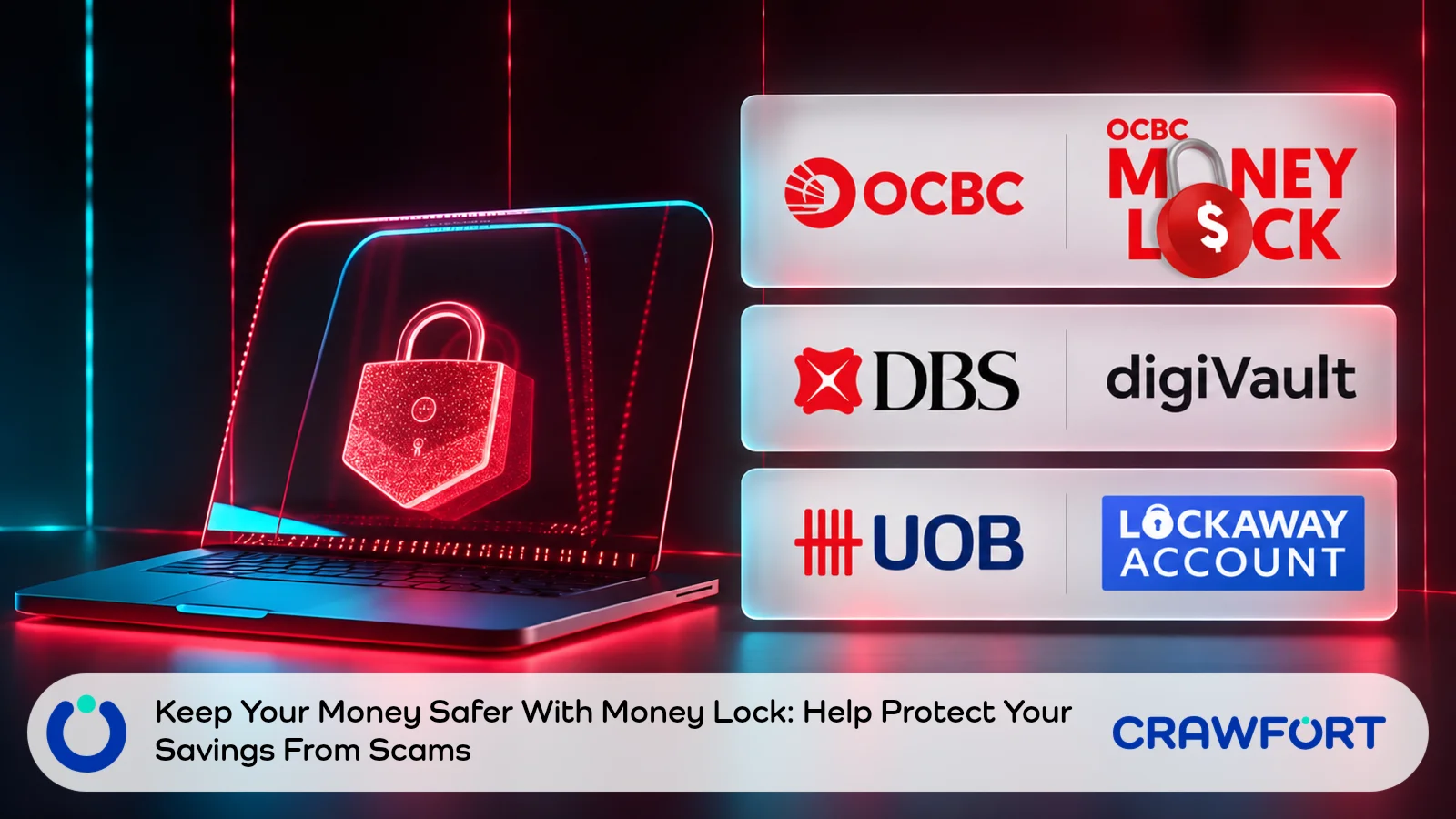
Money Lock is built for that worry. You set aside part of your bank balance, and nobody can transfer that part out digitally, including you. Getting it back takes a trip to an ATM or a branch, depending on your bank, so the lock still holds if malware or a stolen password lets a scammer in.
That barrier applies to your own bills as well. Your GIRO deductions, card bills and daily spending still come out of the account, and locked money can’t pay them. Lock too much and you could run short of cash even though your total balance looks healthy.
We’ll start with what the lock does and how OCBC, DBS and UOB each handle it, because the release rules decide how much you can afford to tie up. The cash sum comes next, followed by the payment checks and your access plan. Setting up the lock is last, since that’s the easy part once the numbers work.
Before you pick an amount, run through these four checks.
| Check | What To Do |
|---|---|
| Bills Due Before Income Arrives | Keep enough accessible in the account that pays them |
| Everyday Spending | Allow for food, transport and other essentials over the same period |
| Urgent Cash Needs | Choose a contingency that reflects your circumstances and access options |
| Money Remaining | Consider locking the balance after checking holds and other commitments |
Table of Contents
- How Does Money Lock Protect Your Savings?
- How OCBC, DBS And UOB Handle Locked Money
- How Much Money Should You Leave Accessible?
- Check Payments And Pending Transactions
- Plan How You’ll Access Locked Funds
- Set Up Your Lock And Review It
- Choose Your Lock Amount After Checking Your Bills
- Frequently Asked Questions
How Does Money Lock Protect Your Savings?
Say a scammer gets digital access to your account. With a lock on, they can only reach the part you left unlocked, because the protected amount can’t leave until someone goes through the bank’s release process.
That someone includes you, so look at your recurring expenses and the cash you’ll need over the next few weeks before you settle on an amount. Getting money out can mean a trip to an ATM or a branch, and some release routes take time to process.
A lock is one layer of protection. It can’t tell you whether a payment request is genuine, and once you release funds and approve a transfer, that money has no restriction left on it.
So keep checking unexpected requests yourself, even when the message quotes details you recognise. Correct details about your booking don’t prove who sent the message.
Also Read: How To Check A Hotel Payment Request Before You Pay
How OCBC, DBS And UOB Handle Locked Money
Do you know which kind of lock your bank gives you? Some features protect money inside an account you already have, while others move it into a separate account. We checked the details below against each bank’s guidance on 14 November 2026.
| Arrangement | Where Your Money Sits | How You Access Locked Funds |
|---|---|---|
| OCBC Money Lock | You lock money in an existing current or savings account through the app or Internet Banking | In Singapore, release at an OCBC ATM, New ATM, Service Kiosk or branch. ATM release needs an OCBC ATM, debit or credit card and PIN. OCBC releases the full locked amount; lock a revised amount afterwards if needed |
| DBS/POSB digiVault For Existing Accounts | You choose an amount to lock in an existing current or savings account through digibank | Unlock at a DBS/POSB ATM, Branch Teller Machine or Video Teller Machine, using an ATM/debit card and account number. DBS lists daily unlocking at any time for these account locks |
| DBS Separate digiVault Account | A separate locked account, distinct from locking an amount in an existing account | Unlocking is available from 8am to 8pm daily. It releases all funds and converts the account to a regular My Account; later deposits are no longer automatically locked |
| UOB LockAway Account | A separate SGD savings account that you can view and top up digitally | Withdraw in person at a UOB Singapore branch during its usual opening hours, with your NRIC or passport. ATM and digital withdrawals are unavailable |
With the OCBC and DBS locks on existing accounts, locked funds can’t pay your ordinary GIRO deductions, scheduled transfers, card bills or loan repayments. Both banks list a few exceptions that may still be deducted, such as fees for unsuccessful GIRO deductions and SimplyGo payments. The fee exception doesn’t cover the bill itself, so a failed GIRO could cost you the fee and still leave the bill unpaid.
UOB LockAway can’t be your GIRO payment account at all, so your bill money has to sit in another account.
How Much Money Should You Leave Accessible?

How long does your unlocked money have to last? Pick the next date you can count on income being available, and include any bills that could be collected earlier on that same day.
If your income is irregular, allow for a realistic delay. An invoice you’ve sent, a refund you’re expecting or a commission that might come through isn’t money you can pay bills with yet.
Here’s the sum:
Accessible Cash Needed = Payments Still To Leave + Additional Essential Spending + Your Chosen Contingency
Take that figure away from the cleared money you have before the new lock. A negative result means there’s nothing extra to lock, and you have a shortfall to sort out first.
An Illustrative Payment Calendar
These numbers are only an example. Say you’re looking at your account on 16 November and your next reliable income arrives on 30 November. The account holds S$12,000 of cleared, accessible money. That figure has no existing locks in it, no overdraft and no holds you haven’t accounted for.
All four payments below come out of that account. We picked the dates and amounts to show the method, so they don’t describe any particular bank or household.
| Illustrative Collection Date | Payment | Amount |
|---|---|---|
| 18 November | Cash Housing Payment | S$900 |
| 20 November | Credit Card Bill | S$700 |
| 24 November | Loan Instalment | S$400 |
| 27 November | Utilities And Insurance | S$400 |
| Total Committed Payments | S$2,400 |
Add S$600 for essentials you’ll buy before the income arrives. That’s new spending, separate from the purchases already sitting in the card bill. On top of that, you choose to keep S$1,000 as a contingency.
S$2,400 + S$600 + S$1,000 = S$4,000 to leave accessible.
S$12,000 − S$4,000 = S$8,000 you could lock.
The S$1,000 contingency is a choice we made for this example. No bank requires it, it won’t suit everyone, and it isn’t your full emergency fund target.
What If Your Income Arrives Late?
Say the income is delayed and you need another S$500 for essentials. The amount to leave accessible rises to S$4,500, and the amount you could lock falls to S$7,500 if nothing else changes.
Use your own collection dates and amounts when you do this. If several accounts pay your bills, work out each one on its own, because a healthy household total doesn’t put money in the account GIRO is about to debit.
Check Payments And Pending Transactions
Did the sum leave you with more to lock than you expected? Go back over the figures before you lock it, because the extra could be a payment you forgot or money already committed elsewhere.
Use The Available Balance Carefully
Your bank’s available balance may already leave some things out. DBS, for one, excludes earlier digiVault locks and funds set aside for debit card spending, among other items. Match the balance on screen to your pending transactions before you take anything else off in your worksheet, or you could subtract the same debit card hold twice.
The reverse mistake is counting money that hasn’t cleared. A cheque on its way in or a reimbursement you’re expecting isn’t cash yet, even if you can see a record of it.
Count Each Cash Payment Once
Set aside the card payment due during your planning period. Planning for it doesn’t reduce what you owe or move the due date, and the purchases inside that bill shouldn’t be counted again as extra cash spending.
Next, go through your GIRO deductions, standing instructions, loan instalments and subscriptions, and check each against the account it’s debited from. Annual and quarterly bills count too if their collection date falls before your next income.
Have you been putting money aside each month for a big bill? Keep that provision apart from your spare cash. If an insurance premium is due now and its reserve is sitting in your balance, that reserve is already committed to the premium.
Read More: Build A Monthly Family Budget Using Your Actual Bills
Plan How You’ll Access Locked Funds
An urgent expense turns up. Can you get through your bank’s release process before the payment is due? Count the time it takes you to reach a machine or branch, as well as the bank’s processing time.
If your release method uses a card, make sure the card is valid and you know its PIN. Check the opening hours of the place you’d go, too. A service that runs daily doesn’t mean every machine is physically open to you all day.
OCBC says its Singapore release channels work instantly. If you live overseas, the route is slower: you send a request through Secured Mailbox, then wait for a verification call within four working days. Travelling abroad for a short trip? Don’t treat that as a quick way to release money.
UOB LockAway withdrawals need a visit to a Singapore branch, so put enough accessible money aside before you travel. With DBS, call the bank’s hotline if you can’t get to an ATM or teller machine, and don’t plan around a remote release or a completion time the bank hasn’t confirmed.
Keep An Accessible Part Of Your Emergency Reserve
Think about the bills you might have to pay before you could reach the release channel. A late night taxi, an essential repair or another household expense that can’t wait would sit on top of your usual commitments.
No single split fits everyone. If there’s a suitable ATM near your block, you’re in a different position from someone who’s travelling or depends on branch opening hours. Keep a portion within reach that fits your situation, since you can’t assume the whole emergency reserve will be released on demand.
Set Up Your Lock And Review It
Numbers and access plan both work? Then follow your bank’s official instructions. Open the app or website the way you normally do, and never through a link in a message you weren’t expecting.
- Confirm the account. Pick the existing account you’re locking money in or, for UOB LockAway, the separate account receiving the money.
- Key in the amount. Before you submit the request or transfer, check what’s left for bills and essentials.
- Check the confirmation. Look at the protected amount, then the accessible money left in each account that pays bills.
- Note your next review. Redo the sum when income arrives, a bill changes or you use part of the contingency.
If your income varies, review the lock after the money clears, and don’t lock against an amount you’re only hoping to receive. Money you’ve set aside for tax, business costs and other obligations isn’t surplus, so leave it out.
Learn More: Build A Cash Flow Buffer When Your Income Varies
Choose Your Lock Amount After Checking Your Bills
Before you submit the lock, write down three things: your next income date, the accessible amount each account needs and the release channel you’d use. If those figures don’t match your bank’s available balance, find out why first.
Would paying a bill you already know about mean borrowing, or an urgent trip to release money? Lower the lock until it wouldn’t. Submit it once the accessible balance covers the plan you wrote down.
Still short for an urgent bill after working through the sum? Apply for a personal loan with Crawfort and check your result in the app.
Important note: This article is for general information only and does not consider your personal financial situation. Before taking a loan or agreeing to a restructuring plan, review the contract carefully and make sure the repayments are manageable.