Alwin Goh
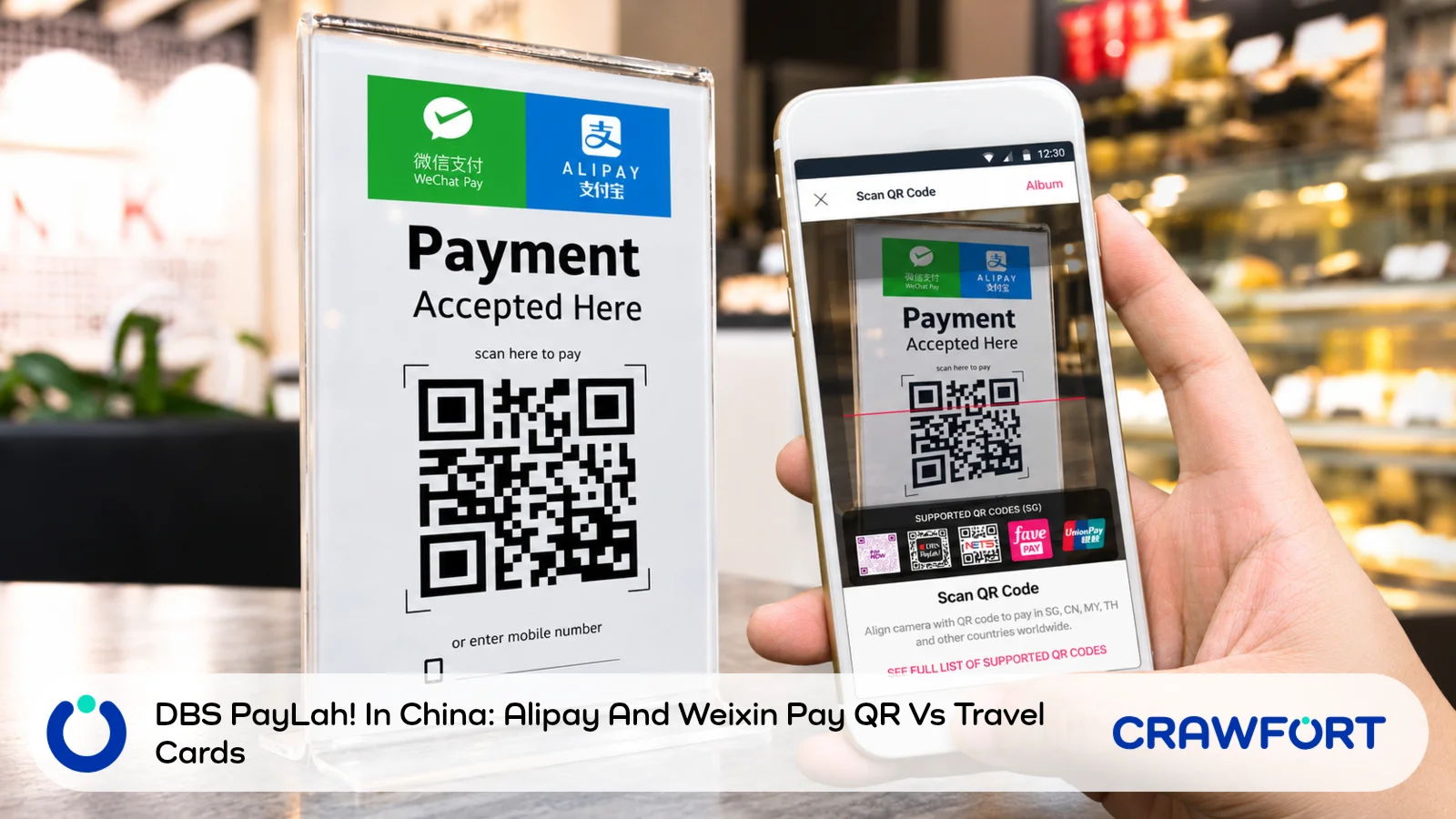
Alipay+ and Weixin Pay merchants in mainland China accept QR payments from DBS PayLah!, and DBS adds no service fee beyond the exchange rate it applies.
Payment works in two ways. Either you scan the merchant’s QR code, or the merchant scans the one in your app. DBS puts the number of partner merchants at more than 100 million as of November 2026, and PayLah! still works with UnionPay QR codes as well.
No extra fee does not make PayLah! the cheaper choice every time. The exchange rate can include a mark-up, and a travel card may cost less or more depending on whether you use it at the shop’s card terminal or link it to a wallet app that can charge its own fee.
After the three payment routes at a glance, this guide covers where PayLah! works and how to pay, because a method the merchant cannot accept is not worth pricing. The fee, the travel card comparison and a worked RMB500 example follow, and the last section before the summary covers the backups to carry. CNY is the currency code for the Chinese yuan and RMB is short for renminbi, so both mean the same money here.
Compare The Three Payment Routes
A travel card used at a card terminal and the same card linked to a QR wallet can produce different charges, so start by working out which route the merchant will accept.
| Payment Route | What To Compare | What To Check First |
|---|---|---|
| DBS PayLah! Through Alipay+ Or Weixin Pay | The SGD debit on the final review screen | The merchant and QR payment method are supported |
| Travel Card Used Directly | The card’s estimated SGD cost, including applicable charges | The merchant accepts the card network |
| Travel Card Linked To Alipay Or WeChat Pay | The card conversion plus any platform service fee | The card is linked successfully and that purchase is eligible |
Table of Contents
- Where Can You Use DBS PayLah! In China?
- How To Pay With Alipay+ Or Weixin Pay
- What Does No Additional Transaction Fee Mean?
- How To Compare PayLah! With A Travel Card
- How Much Does A RMB500 Bill Cost On Each Route?
- Have A Backup Before You Rely On One Method
- Should You Pay With PayLah! Or A Travel Card?
- Frequently Asked Questions
Where Can You Use DBS PayLah! In China?
Already have PayLah! on your phone? You can use it for shop purchases in mainland China without opening a new wallet account. DBS says PayLah! works at more than 100 million Alipay+ and Weixin Pay partner merchants there as of November 2026, on top of the UnionPay QR payments it already supported.
You can scan the merchant’s QR code or show your own code for the merchant to scan. Both ways need the latest version of the app (DBS names v7.4.0), so update it before you fly.
Alipay+ is the network that connects PayLah! to participating merchants. That makes it a different arrangement from opening the Alipay app and charging a card you’ve linked to it, and the fees differ too. Weixin Pay is the mainland China name for the service many guides call WeChat Pay.
How To Pay With Alipay+ Or Weixin Pay
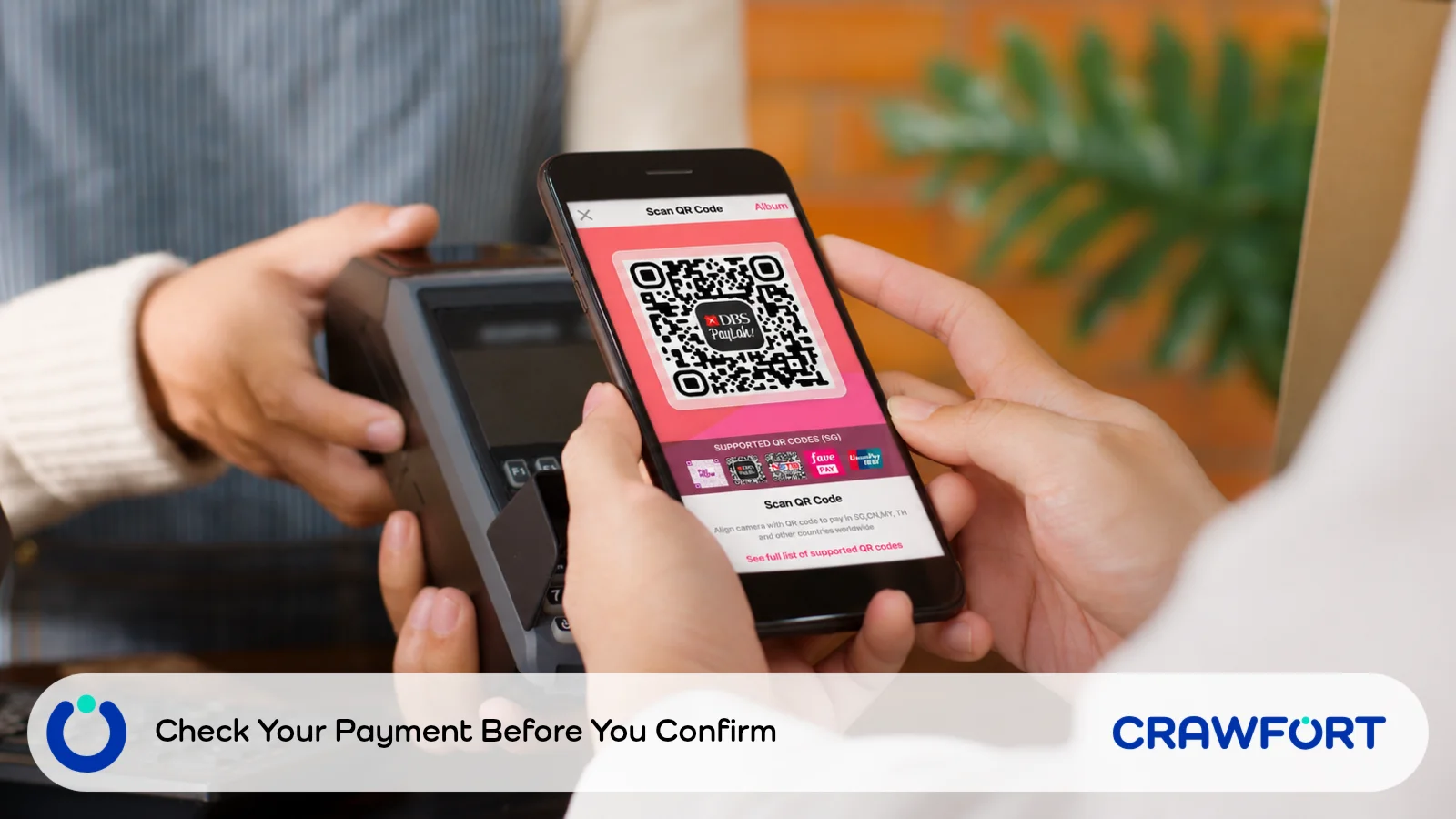
Ask the cashier whether you should scan the shop’s code or show your own, because the steps differ a little. The app’s prompts can change between versions, so follow your screen if it doesn’t match the steps here.
If You Scan The Merchant’s Code
- Open the scanner. Tap Scan in PayLah! and point it at the merchant’s QR code.
- Pick the payment option. Some shops show one combined code for several wallets, so select Alipay+ or Weixin Pay if the app asks. Key in the CNY amount if the merchant hasn’t supplied it.
- Review before you confirm. The screen shows the CNY price, the exchange rate and the SGD amount. Check them against the bill and the merchant’s name, then tap Let’s Go.
- Check the result. Wait for the payment confirmation in the app and let the cashier verify it on their side.
If The Merchant Scans Your Code
Open My QR, or Show My QR from the scanner page, then choose Alipay+ or Weixin Pay and hold the code up for the cashier to scan. The app asks you to review the payment details and confirm, then shows a payment confirmation.
Paying through Weixin Pay? Turn on location services first, because DBS only processes these payments after it verifies that you’re in China. Some Weixin Pay merchants also send you to a page hosted by the network to key in the amount, then bring you back to PayLah! to authorise it.
What Does No Additional Transaction Fee Mean?
A “no fee” label can make PayLah! sound free to use, but the exchange rate still decides how much you pay. The DBS China QR payment guide says there’s no additional service fee apart from the conversion rate applied, and that holds for payments above RMB200 too (as of November 2026). The same page says currency conversion may include a mark-up.
So is the mark-up a hidden charge? It never appears as a separate line, yet it raises the SGD amount you pay. You don’t have to work it out yourself, because the SGD debit on the review screen already includes it, and that debit is the number to compare against any other payment method.
On Weixin Pay payments, you may see a rate and a debit amount on the Tenpay Global page first. DBS says those are indicative, and the final rate and SGD debit are the ones on the PayLah! review screen.
How To Compare PayLah! With A Travel Card
Want a fair comparison? Keep the CNY bill the same across all three routes, and get the card estimate as close as you can to the moment PayLah! shows its quote. A rate you saved before your flight may be out of date by the time you reach the counter.
1. Work Out How You’ll Use The Card
Does the shop take your card at its terminal? Then price it as a CNY card purchase under your provider’s terms. That figure doesn’t tell you the cost of using the same card inside Alipay or WeChat Pay, because a QR payment from a linked card can carry the wallet’s service fee.
YouTrip’s Alipay payment guide lists a 3% fee on international card purchases above RMB200, charged on the whole amount, so a RMB250 bill pays 3% on all RMB250. Its WeChat Pay guide lists the same 3% above RMB200. For new international card users, that guide says the fee is waived on daily transactions under RMB1,000 for 60 days from the first payment, with savings capped at RMB30 per transaction (its information is dated 16 June 2026).
The fee shown for your own account and transaction is the one that counts, since cards, wallet balances and promotions can each come with different conditions. A card’s zero foreign exchange fee doesn’t, by itself, waive a wallet’s platform fee.
2. Add Up The Card’s Total SGD Cost
Look up your provider’s current conversion method and its foreign currency charges, and include any fee you paid to fund the card for this purchase. Holding CNY you converted earlier? Use the SGD you paid for that balance, which may differ from today’s quoted rate.
For a card on the Mastercard network, the Mastercard currency converter gives an estimate once you enter the transaction currency, your card currency and the bank fee. Mastercard says the figures are indicative and that your issuer may use different rates or add charges. The rate generally relates to the time of authorisation, and Mastercard uses the processing time if it can’t apply the rate at authorisation.
Treat the result as an estimate until your provider confirms the actual debit. A gap of a few cents on a calculator is too small to count as a saving if the final conversion can still move.
3. Compare Like With Like
Write down the PayLah! SGD debit and the card’s estimated SGD total after fees. Both cover the same CNY bill, so the lower SGD amount is the cheaper one on those assumptions.
Prefer to compare rates? Divide the CNY amount by the total SGD cost to get CNY for each S$1, and a higher result is better. SGD paid per CNY works the other way round, with a lower result being better, so check the units before you put two numbers side by side.
Rewards come after the cost. Count cashback or miles only once you’ve checked that the purchase is eligible, isn’t excluded and still fits under any cap. With a credit card, make sure you can pay the statement in full, because interest can outweigh a small exchange rate advantage.
Also Read: How To Check A Miles Card Recommendation Before You Follow It
How Much Does A RMB500 Bill Cost On Each Route?
Here’s how that plays out. These numbers are only an example, and we made them up to show the sum. Say PayLah! shows S$90 for a RMB500 bill, and your travel card would convert the same bill to S$88 before any wallet fee. We added a 3% platform fee to the linked card route and left out any other charges and rewards.
| Payment Route | Calculation | Total SGD Cost |
|---|---|---|
| PayLah! QR Payment | Final Displayed Debit | S$90.00 |
| Card Used Directly, If Accepted | S$88.00 With No Additional Fee In This Example | S$88.00 |
| Card Linked To A QR Wallet Charging 3% | S$88.00 × 1.03 | S$90.64 |
Used at the terminal, the card is S$2 cheaper than PayLah!. Add the 3% platform fee and the linked wallet route costs S$0.64 more than PayLah! instead.
How low would the card’s conversion have to be to win through a wallet? Divide the PayLah! quote by 1.03.
S$90 ÷ 1.03 = about S$87.38.
Any card conversion below about S$87.38, before the fee, beats the S$90 PayLah! payment. That sum assumes the same rate applies to the purchase and the fee and that nothing else is charged, and actual rounding can differ.
A shop that can’t take the card at a terminal removes the S$88 route for that purchase, so compare only the methods you can use there.
Have A Backup Before You Rely On One Method
An Alipay or Weixin Pay logo at the counter doesn’t guarantee your PayLah! route will work there. DBS’s service covers payments to participating merchants. It doesn’t say that every personal QR code, person to person transfer or service inside another app will go through PayLah!.
Someone collecting money with a personal code, say, may need a different arrangement from a shop with a merchant QR. Ask how the seller can take payment before you order, especially if PayLah! is all you have on you.
Carry a physical card the merchant is likely to accept and some renminbi cash, which also cover you if your phone runs flat. Before you leave Singapore, check that you can log in to your account and that verification messages reach you overseas. Sort out mobile data for China too.
Keep the receipt and the payment record for anything you might query or return. Not sure whether a payment went through? Check your transaction history and the merchant’s receipt before you try again, so you don’t pay twice.
Should You Pay With PayLah! Or A Travel Card?
Set up your preferred route before you fly and keep a second way to pay. For a big purchase, note down or screenshot the quoted amount and fee details so you can match them against the final debit later. Once you know the cost, pay with the method the merchant accepts and that both of you can verify on the spot.
Need extra cash before your trip? Apply for a personal loan with Crawfort and check your result in the app.
Important note: This article is for general information only and does not consider your personal financial situation. Before taking a loan or agreeing to a restructuring plan, review the contract carefully and make sure the repayments are manageable.